Free & Open Source · macOS & Windows

One keystroke away.

A keyboard-first launcher for macOS and Windows. Search apps, local files, and plugins from a single input bar. Open-source host and extensions, free for personal use, zero ads.

Interactive UI preview. Download the desktop app for full functionality.

CalculatorInstant math evaluation with scientific functions, unit & currency conversion, and date math
Built-in
JSON FormatterValidate, prettify, and minify JSON, plus generate TypeScript / Go / Rust types
Built-in
Timestamp ConverterConvert Unix seconds/milliseconds and date strings across time zones
Built-in
QR Code GeneratorGenerate crisp QR codes from URLs or text, including Wi-Fi codes and PNG export
Built-in
Text DiffCompare two text blocks or config files line by line with clear additions and removals
Built-in
Encode & CryptoBase64 / URL / Hex encoding, MD5 / SHA hashing, and AES encryption/decryption
Built-in
Color PickerConvert HEX / RGB / HSL / CMYK values and check WCAG contrast ratios
Built-in
Quick NotesLightweight Markdown notes searchable by title, body, or tags
Built-in
To-Do ListAdd tasks with Enter, mark priorities, and filter by completion status
Built-in
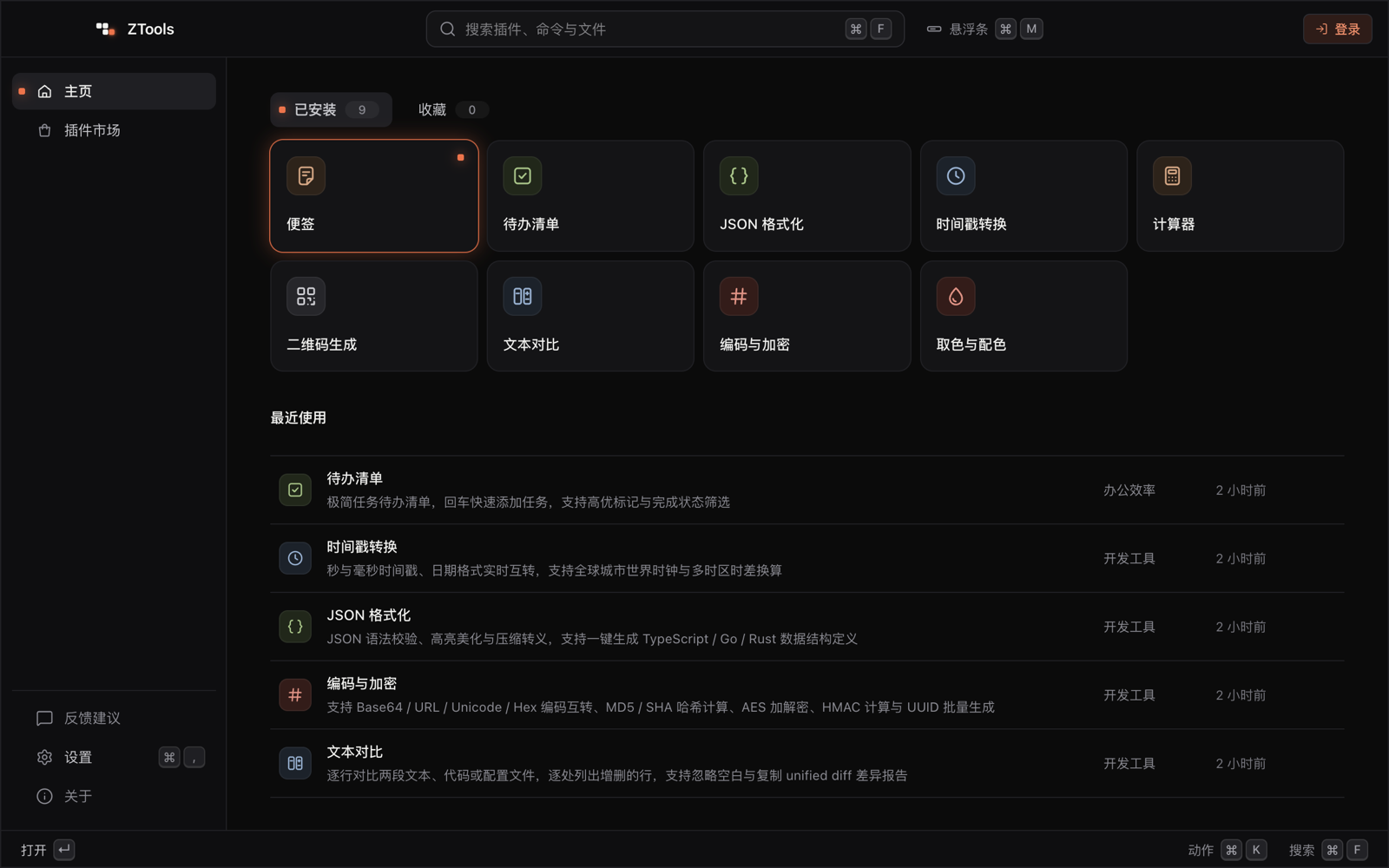
ZTools Workbench (macOS screenshot, light theme) ZTools Workbench (macOS screenshot, dark theme)
9Built-in ToolsCalculator, JSON, QR code, and more out of the box
—Marketplace PluginsReviewed, open-source, free to install
2 OSmacOS & WindowsmacOS 13+ Universal · Windows 10/11 64-bit
GPL-3.0Open-Source HostExtensions repo under MIT
Verified & Open:Transparent source code · Zero ads · Local-first
Apple Notarized CI SHA-256 Verified Compare with uTools & Raycast →
Features

One bar for every daily action

Use the launcher bar for instant commands and the workbench when you want more room. Both share one search engine and full keyboard navigation.

⌥ Space Summon Launcher

Think it, type it

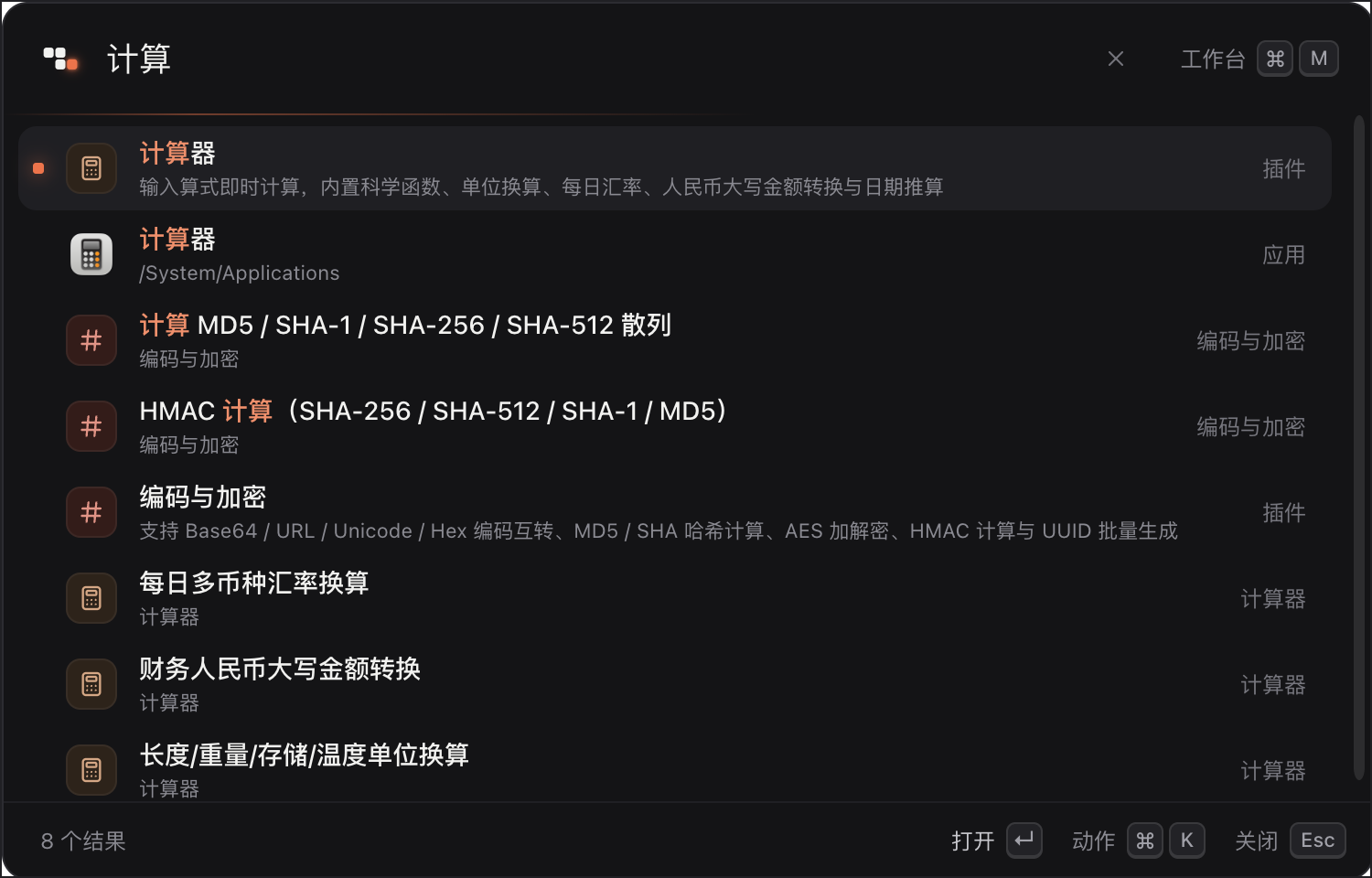
Apps, plugins, plugin sub-commands, and local files live in one input bar. Hit Enter to run without switching windows.

  • Instant fuzzy search across apps, commands, and local files
  • Press Enter to run, ⌘ K for more actions, Esc to dismiss
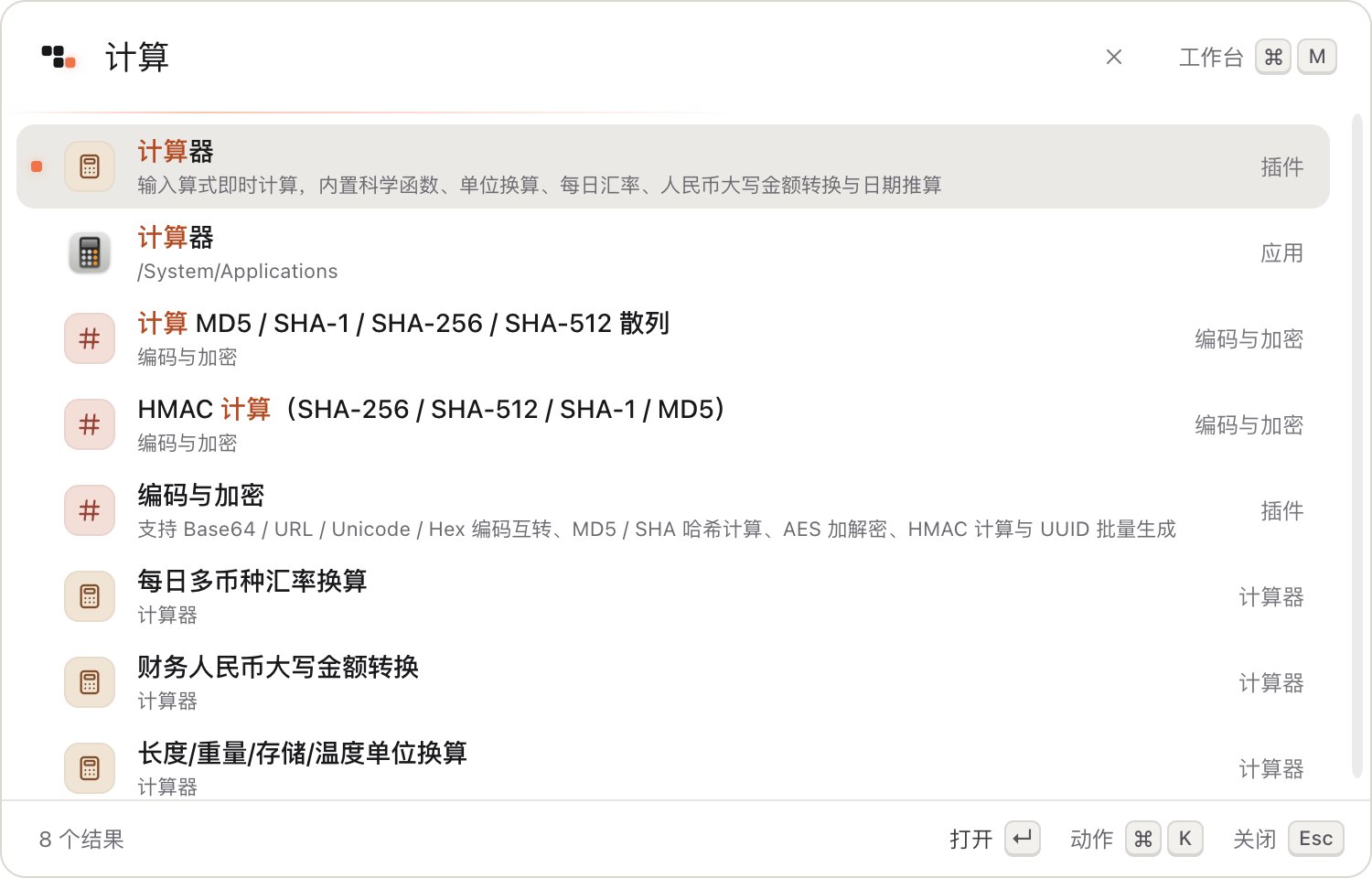
ZTools launcher bar search results (light theme) ZTools launcher bar search results (dark theme)
⌘ M Switch to Workbench

Workbench: plugins, recents & marketplace

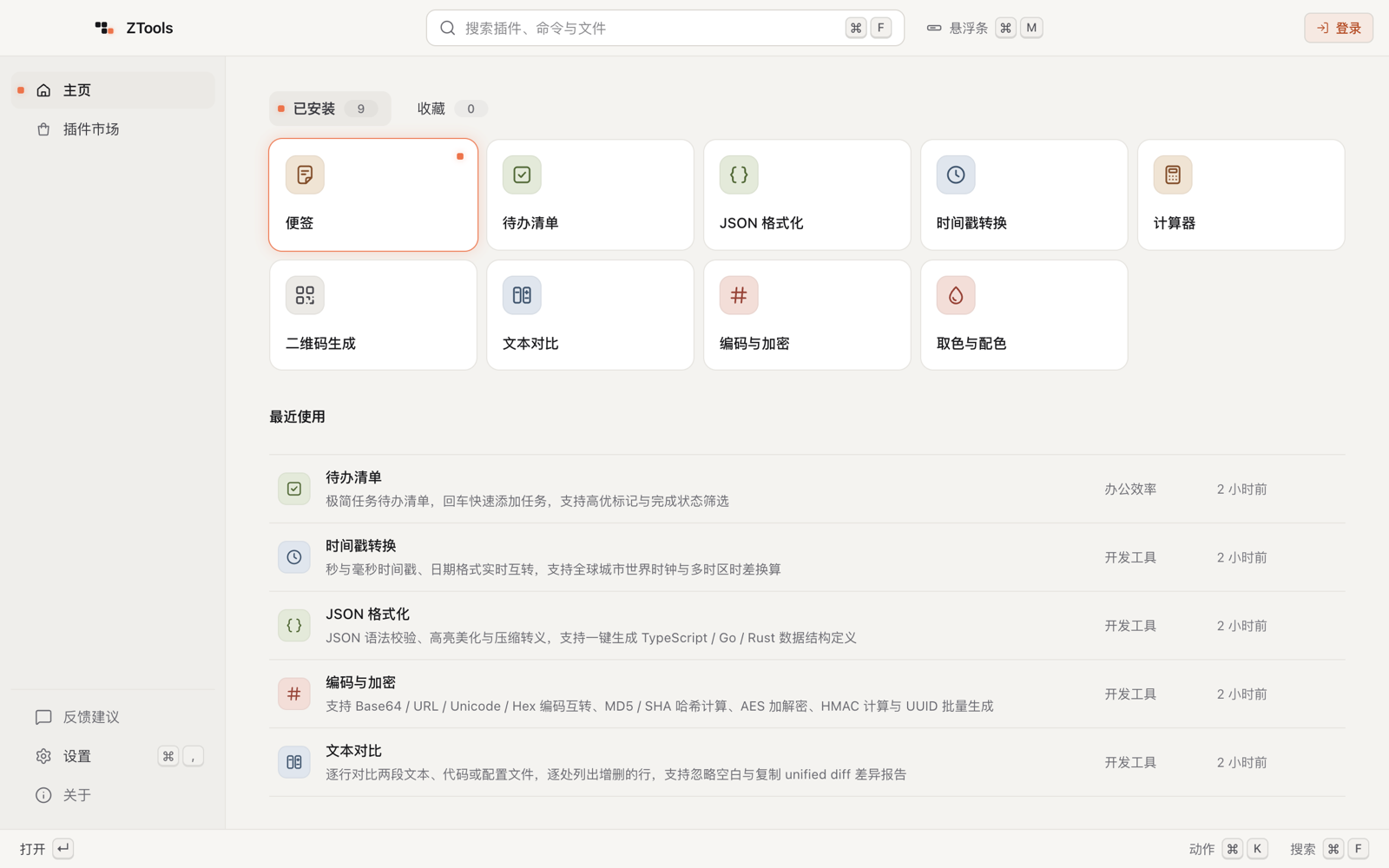
Browse installed plugins, recent items, the plugin marketplace, and settings in one clean workspace. Toggle seamlessly between launcher bar and workbench.

ZTools Workbench home (light theme) ZTools Workbench home (dark theme)
⌘ K Action Panel

Every action in one consistent panel

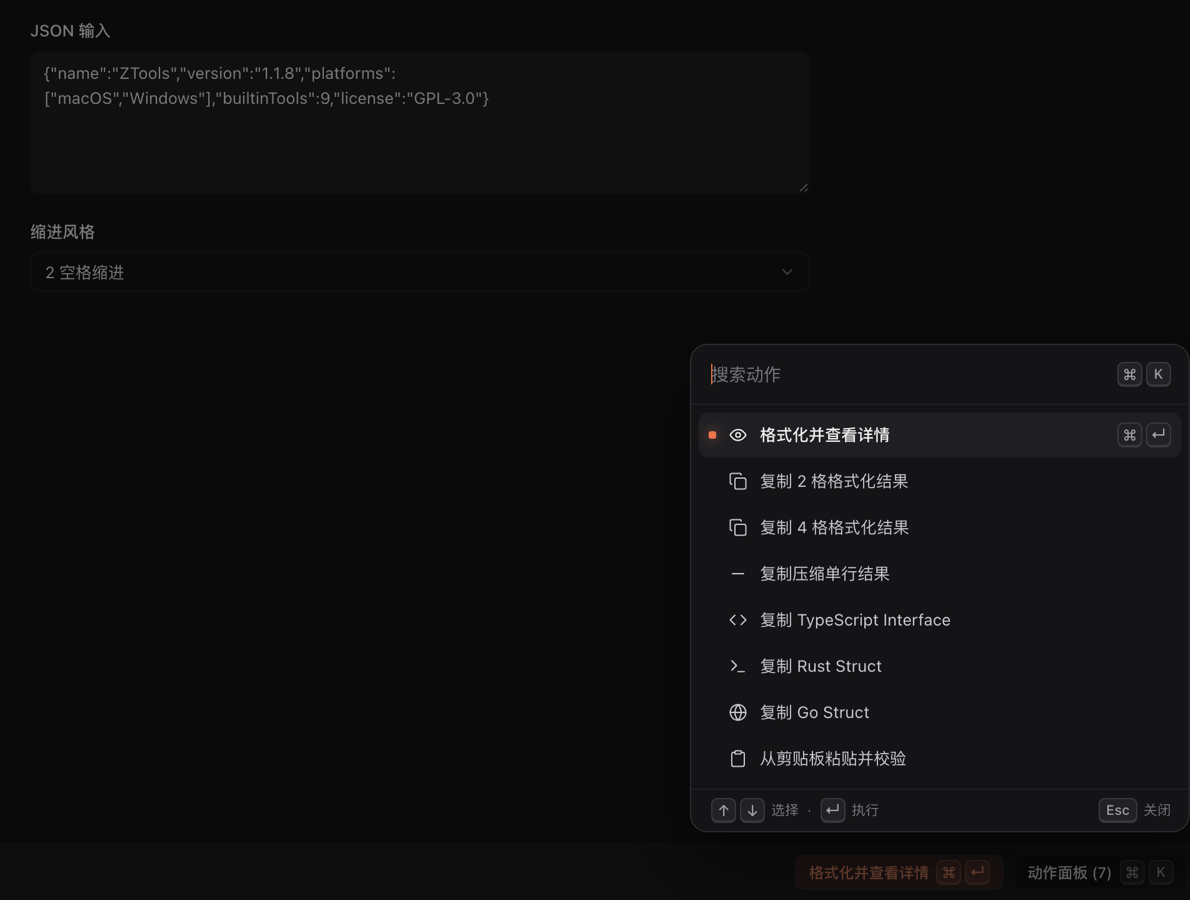
Open the Action Panel on any selected item to inspect all available operations, filter by typing, and execute with Enter—such as copying formatted JSON or generating TypeScript / Rust / Go types.

Action Panel for JSON Formatter plugin (light theme) Action Panel for JSON Formatter plugin (dark theme)
Marketplace

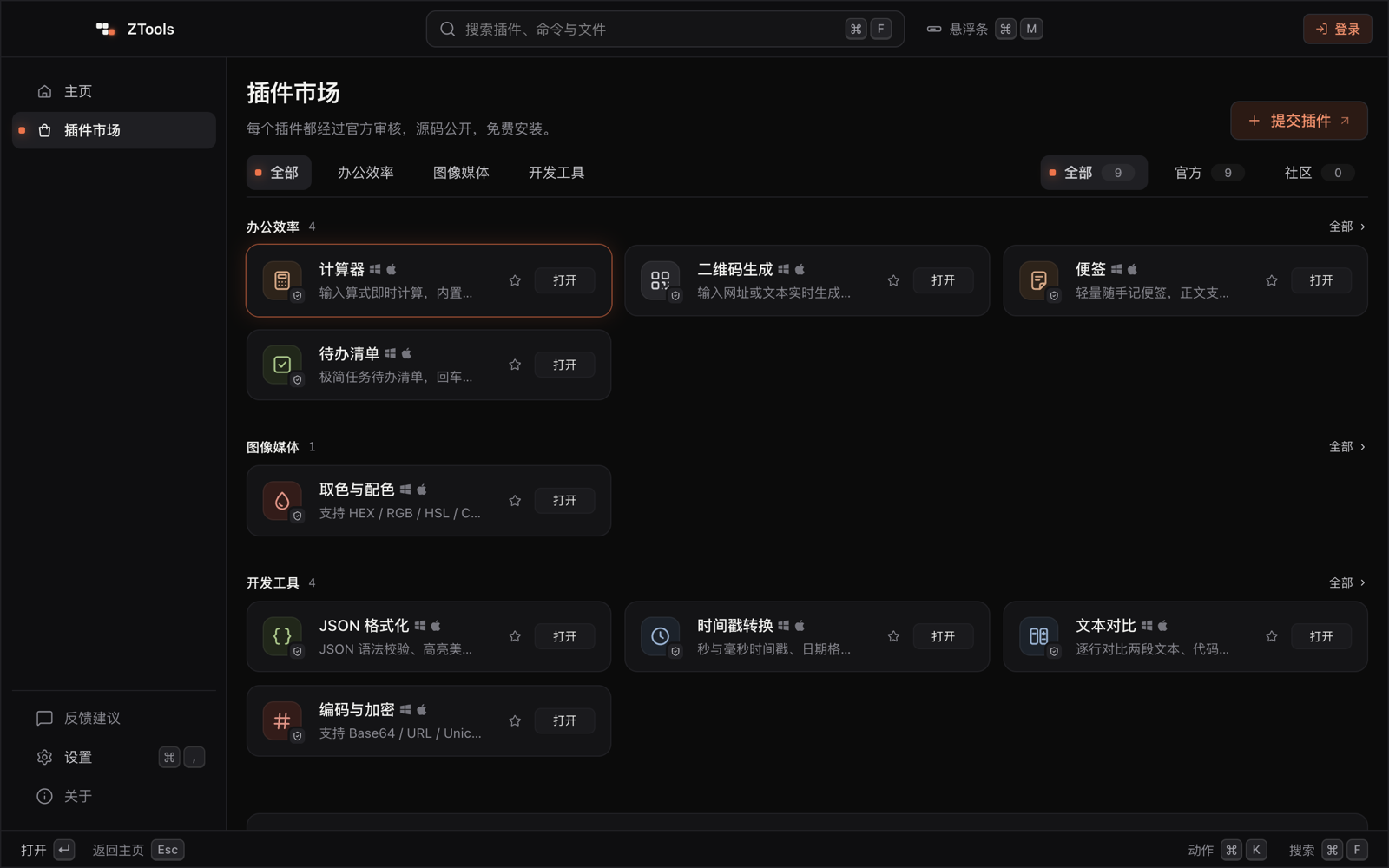
Install only what you need

Every plugin is reviewed by maintainers with source code published in the extensions repo. Packages are built from source in CI and verified with SHA-256 on download.

ZTools Plugin Marketplace (light theme) ZTools Plugin Marketplace (dark theme)

Local File Search

Search local files right from the main bar. Windows uses a native C++ helper reading NTFS USN journals; macOS uses Spotlight. Your index never leaves your machine.

Clipboard History

Keep copied text, links, and images searchable and pinnable, with automatic masking for sensitive strings like API keys. Installable from the marketplace.

9 Built-in Everyday Tools

Ready right after installation:

CalculatorJSON FormatterTimestamp ConverterQR Code GeneratorText DiffEncode & CryptoColor PickerQuick NotesTo-Do List
Plugins

Modular building blocks

Open-source and free to install. Supported operating systems are clearly labeled on every plugin.

Browse Marketplace →
Loading plugins…
Developers

Write logic, not CSS

Declare your UI with @ztools/declarative-ui — the host handles styling, light/dark themes, and keyboard navigation.

  • Declarative ComponentsList, Detail, Form, and ActionPanel—no CSS hacks, no direct DOM access.
  • Build from SourceRun npm install and npm run dev; compile native sidecars via the build guide.
  • PR-Driven PublishingCI runs AST security scanning and builds from source; maintainers review and publish to the marketplace.
  • SHA-256 VerificationPlugin packages are built from source in CI and hash-verified by the client.
src/index.tsx
import React, { List, ActionPanel, Action, Icon }
  from "@ztools/declarative-ui";

export default function Command() {
  return (
    <List searchBarPlaceholder="Search system commands">
      <List.Item
        title="Lock Screen"
        icon={Icon.Power}
        actions={
          <ActionPanel>
            <Action title="Run Now" onAction={lock} />
            <Action.CopyToClipboard content="lock" />
          </ActionPanel>
        }
      />
    </List>
  );
}
$ npm run create-plugin

Make everyday actions faster.

Free for personal use. No ads, no bundled bloat.

Recommended for your OS

macOS

macOS 13 or later

Universal binary for Apple Silicon & Intel. Signed and Apple notarized.

Download for macOS.dmg

Open the DMG and drag ZTools into Applications.

Open source—build it yourself anytime.
View build instructions